

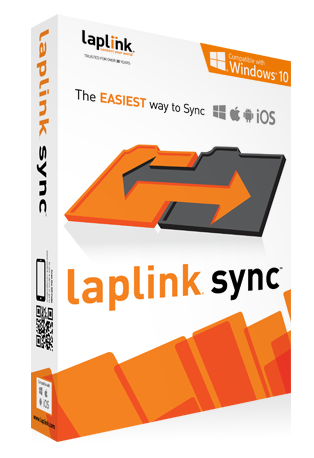


Multi-device Support
Synchronize your PCs, tablets and smartphones with a few clicks. Laplink Sync supports Windows PCs, Android tablets and smartphones, Macs and iPhone/iPad.

Easy Connectivity
Connect your devices wirelessly or across your wired network without missing a beat. No matter how you want to connect, Laplink Sync ships with technology that makes it easy and fast.

Multi-directional Sync
Easily resolve any conflicts between files and folders. With multi-directional sync, you can determine which files are sent to which device.

UltraSync
Superior sync technology that detects if files were deleted, renamed, or changed. Conflicts can be easily managed and resolved.
Easy file sync for your devices
If you have more than one computer, tablet, or smartphone, chances are at some point you will want to sync files and folders between them. With Laplink Sync, this task is no longer complicated!
Laplink Sync makes it easy for you. With a few clicks, you can choose the folders and files that you want to transfer between your devices. Just select your devices and the folders you wish to sync, and that’s it! It is the easiest way to copy your newest pictures from your phone to your computer!
For more information, please read the User Guide.
Important
Laplink Sync should only be used as intended and as described in the User Guide. If you attempt to use this product for unintended purposes, your computer may become unstable or unusable.
If you have any questions, please review the documentation below or contact Laplink Technical Support.
Laplink Sync Documentation
System Requirements
Windows 10 | 8.1 | 8 | 7 | Vista | XP
Android 2.1 (Eclair) and up
Note: To purchase and install Laplink Sync for Android on Kindle Fire devices, the Amazon Appstore is recommended.
iOS 6.1 and up
Mac OS X 10.8 and up
Other Special Offers
Sync Bundle
 $55.95
£34.95 | €46,95
buy Now
$55.95
£34.95 | €46,95
buy Now
Laplink Sync: 2x Windows/Mac 1x Android PLUS: Laplink DiskImage
Sync between two computers and one Android device; then back up the PCs with DiskImage. Save 30%!
Licensing
With the purchase of Laplink Sync you will receive two (2) licenses for use on two separate computers (Windows/Mac) and one (1) license for use on an Android smartphone or tablet.
iOS is not included in the bundle. Click here to purchase on the App Store.